




Each irrigation control valve is connected to the system through a WeatherTRAK 2‑wire Valve Decoder. The valve decoder acts as the interface between the controller and the valve, allowing the controller to independently operate each irrigation zone.
Each valve decoder is programmed with a station number, which corresponds to a specific valve. Correct decoder assignment and programming are essential for proper valve operation and system performance.
If the flow sensor decoder is not preprogrammed, it must be programmed at the controller before it is wired into the system.
For detailed instructions, see: Programming a Flow Sensor Decoder for the WeatherTRAK 2-Wire Controller
The diagrams below show how to install the Flow Sensor Decoder on the 2‑wire path. The ET Pro3 and OptiFlow XR controllers also support a direct‑connect flow sensor option, which connects at the controller terminals instead of the 2‑wire path.
Resource: WT_H2O 2-Wire Controller_Installation Guide
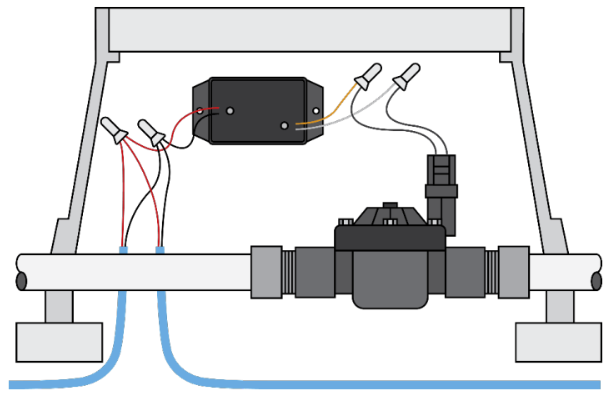
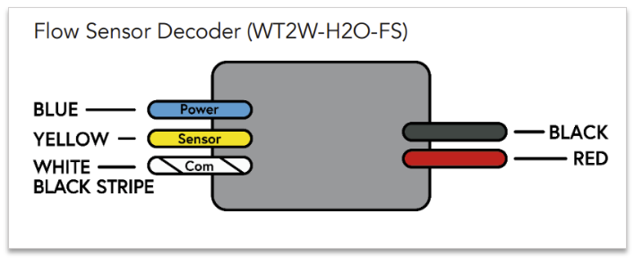
Below are instructions for how to install the Flow Sensor onto the 2-wire path. The ET Pro3 or OptiFlow XR controller also provides a direct-connect option found at the controller terminals.
WARNING
Decoder wires must not come into electrical contact with soil or water. All wire connections must be made using DBR/Y-6 or equivalent moisture‑resistant connectors. Ensure that all connections are installed correctly and fully sealed.
Failure to follow these specifications may result in damage to the system.
Principle Wiring Techniques
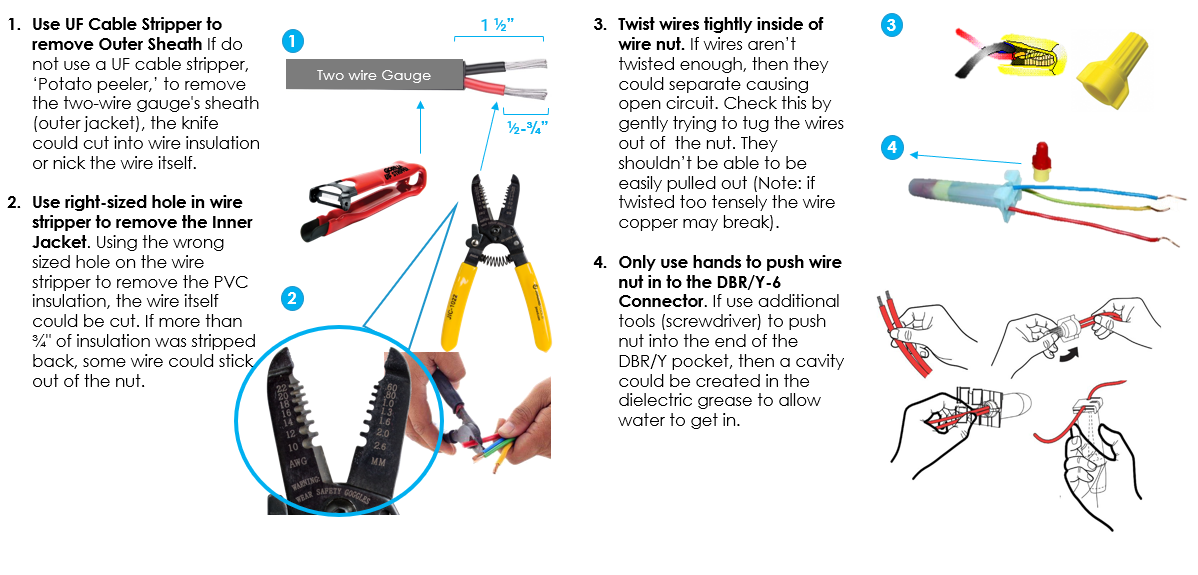
Wiring Diagrams with Flowlink: WT_Flow Solutions_Guide
Wiring a Flow Sensor Decoder
Flow Sensor
1. Power off the two-wire during the installation of any 2-wire device.
2. Install the Flow Sensor decoder as close to the flow device as possible. Follow the flow meter manufacturer’s specifications for required straight pipe before and after the flow meter for accurate readings.
3. Connect the red and black wires from the Flow Sensor decoder to the red and black wires from the 2-wire field. Be sure to maintain polarity by connecting red to red and black to black. Leave 24 to 36 inches of slack on the 2-wire to allow for easy installation and maintenance.
4. Depending on the flow device, connect the black wire to the white wire with black stripe of the decoder. Then connect the red wire from the flow device to the yellow wire from the decoder. The blue wire from the decoder is only to be connected when power needs to be supplied to the flow sensor (like to a Flow3 Hydrometer, for example). Otherwise, cap.
Note: The common wires cannot be shared between different decoders
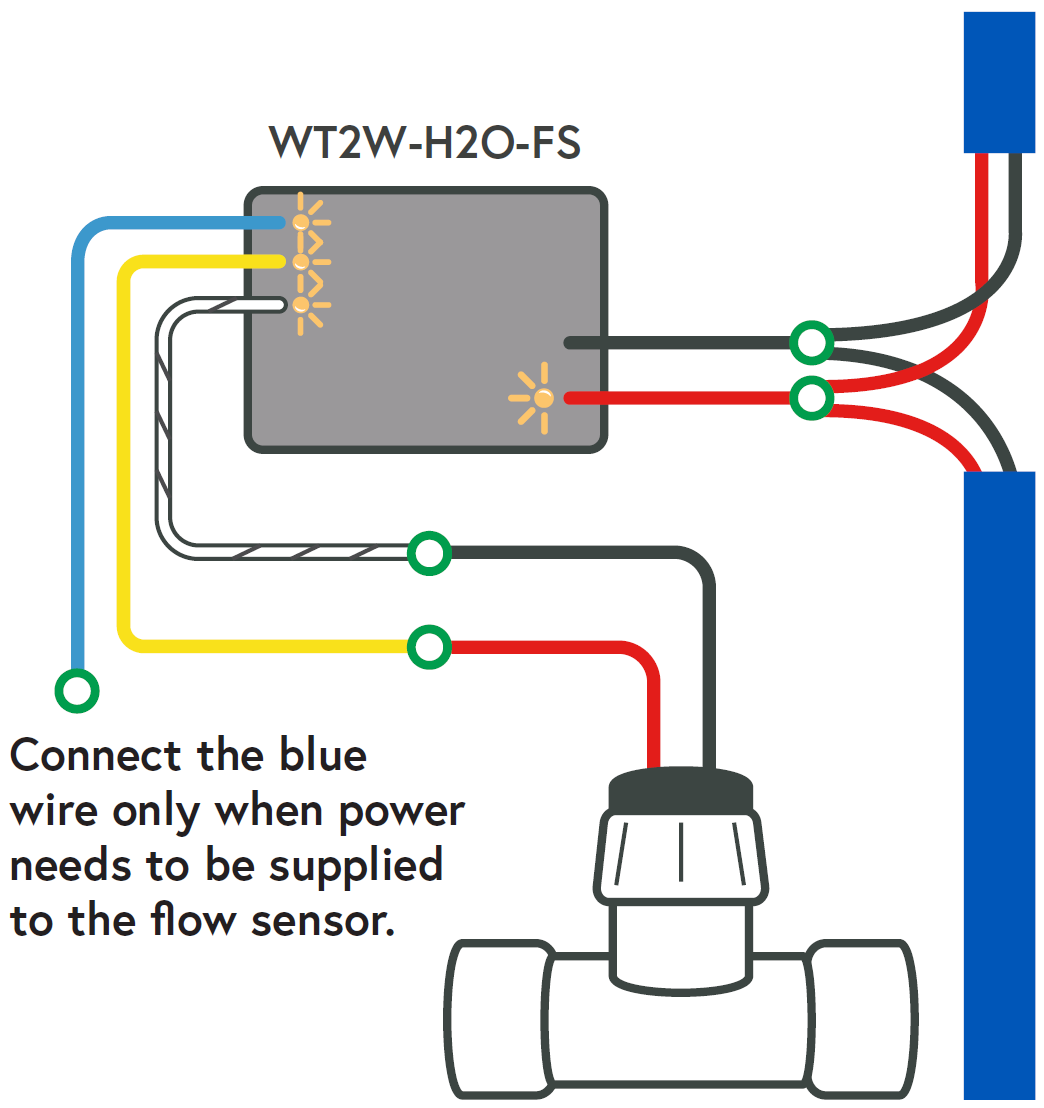

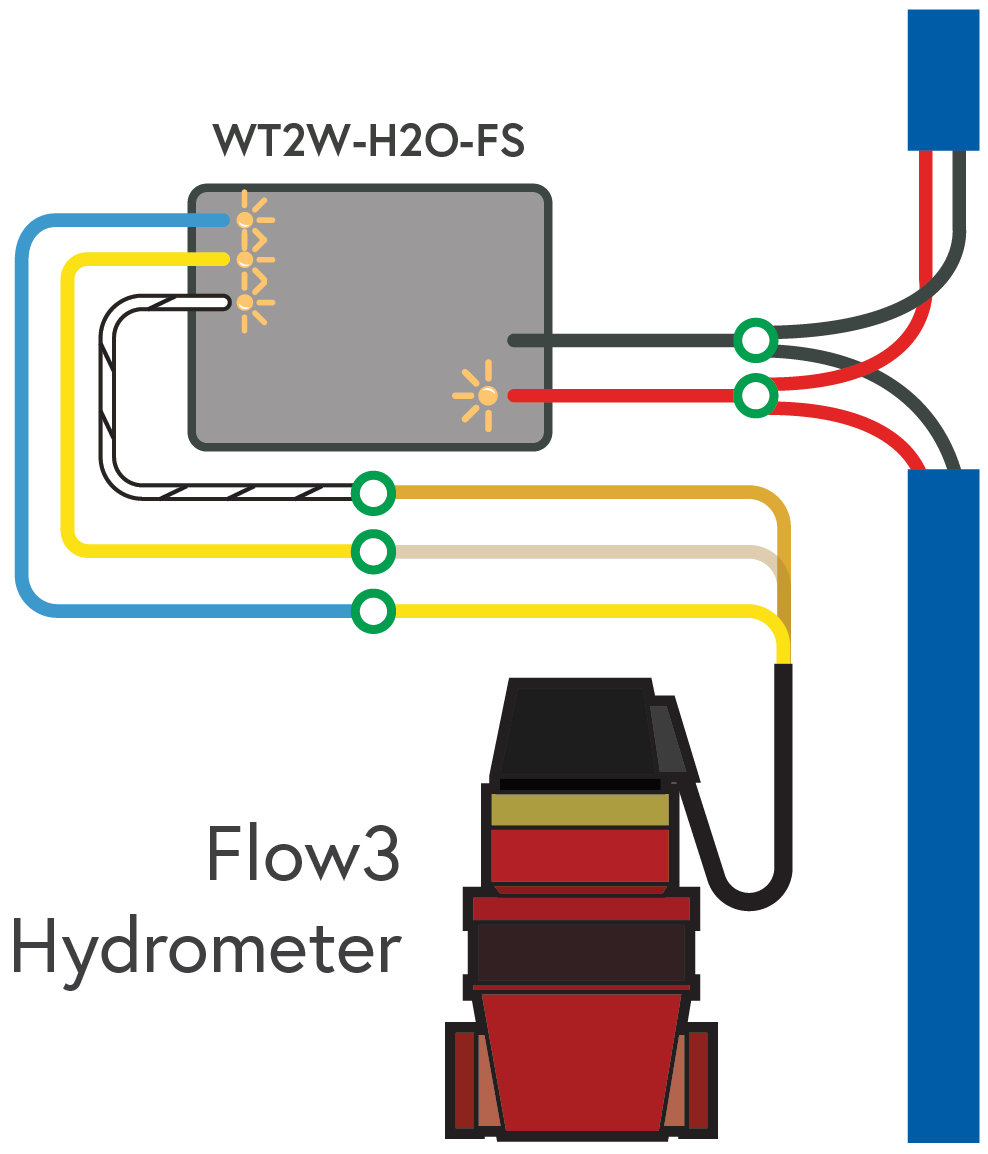
Flow 3 Hydrometer
1. Power off the two-wire during the installation of any 2-wire device.
2. Install the Flow Sensor decoder as close to the flow device as possible. Follow the flow meter manufacturer’s specifications for required straight pipe before and after the flow meter for accurate readings.
3. Connect the red and black wires from the Flow Sensor decoder to the red and black wires from the 2-wire field. Be sure to maintain polarity by connecting red to red and black to black. Leave 24 to 36 inches of slack on the 2-wire to allow for easy installation and maintenance.
4. Connect the bare copper wire (which is the common) from the Flow3 Hydrometer to the white wire with black stripe of the decoder. Then connect the clear wire (which is the sensor wire) from the Flow3 to the yellow wire of the decoder. Lastly, connect the yellow wire (which is the power wire) from the Flow3 to the blue wire from the decoder.
Note: The common wires cannot be shared between different decoders.

H20 2-Wire Decoder: WT_H2O 2Wire Decoder_Troubleshooting and Diagnostics Guide